訓 · FEATURES
Documents
A word processor, spreadsheet and presentation tool in tabs. Open and edit Korean Hangul (.hwp/.hwpx) as well as Word, Excel and PowerPoint files. 訓 means “to teach”: you start right away on a familiar screen.

Tools inside
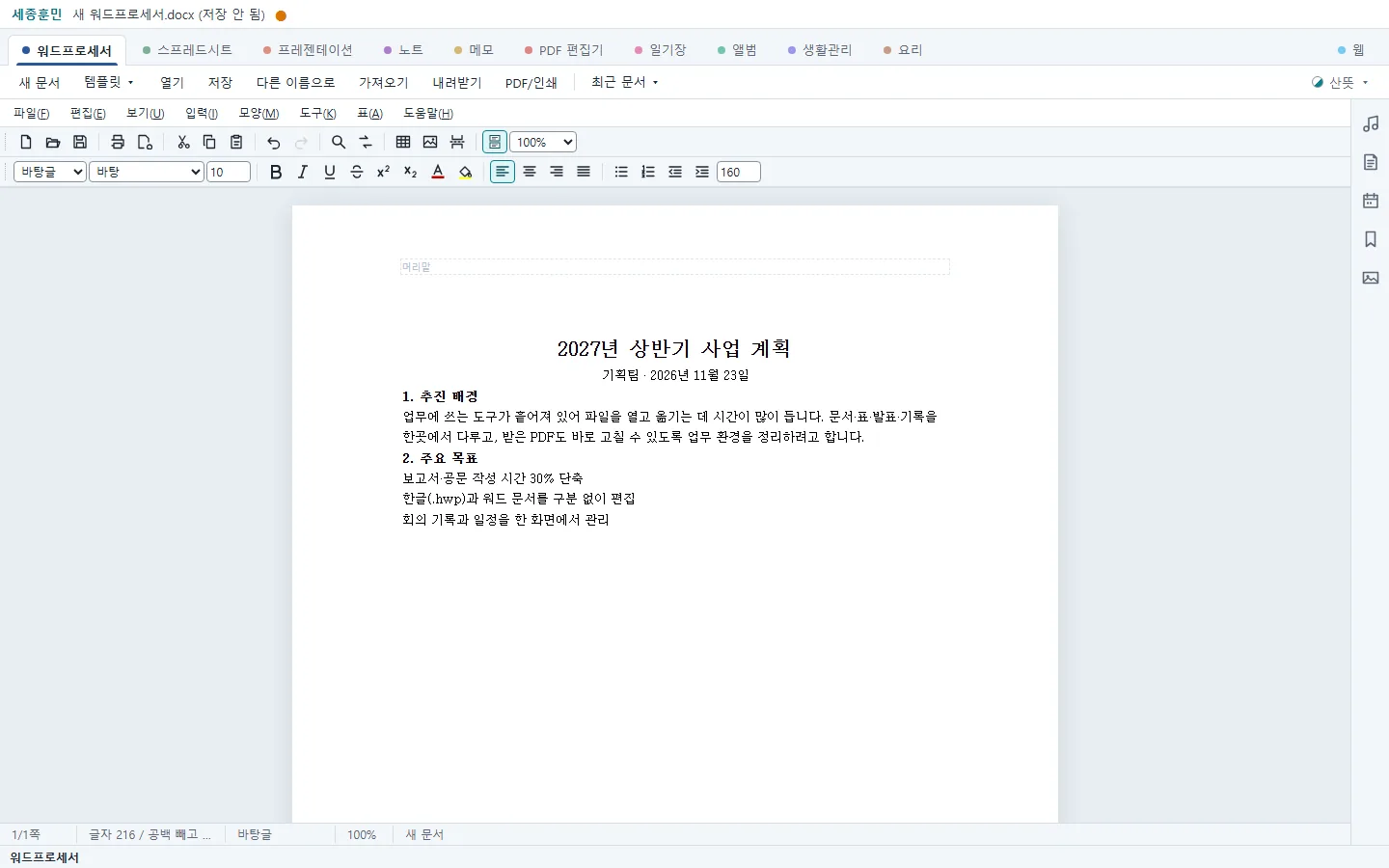
Word Processor
A classic Hangul-style feel, with Hangul and Word files as they are
- Open and edit Hangul (.hwp, .hwpx), Word (.docx), .rtf, .html and .txt files
- A .hwp opened from the original is saved back with only your changes applied
- Tables (merge, split, shading), pictures, headers and footers, footnotes and endnotes, page numbers, columns
- Find and replace, continued numbering, 80 levels of undo, page layout and print preview
- Copy a table into the spreadsheet and paste it back the other way
- Start from templates such as reports, official letters and résumés
Spreadsheet
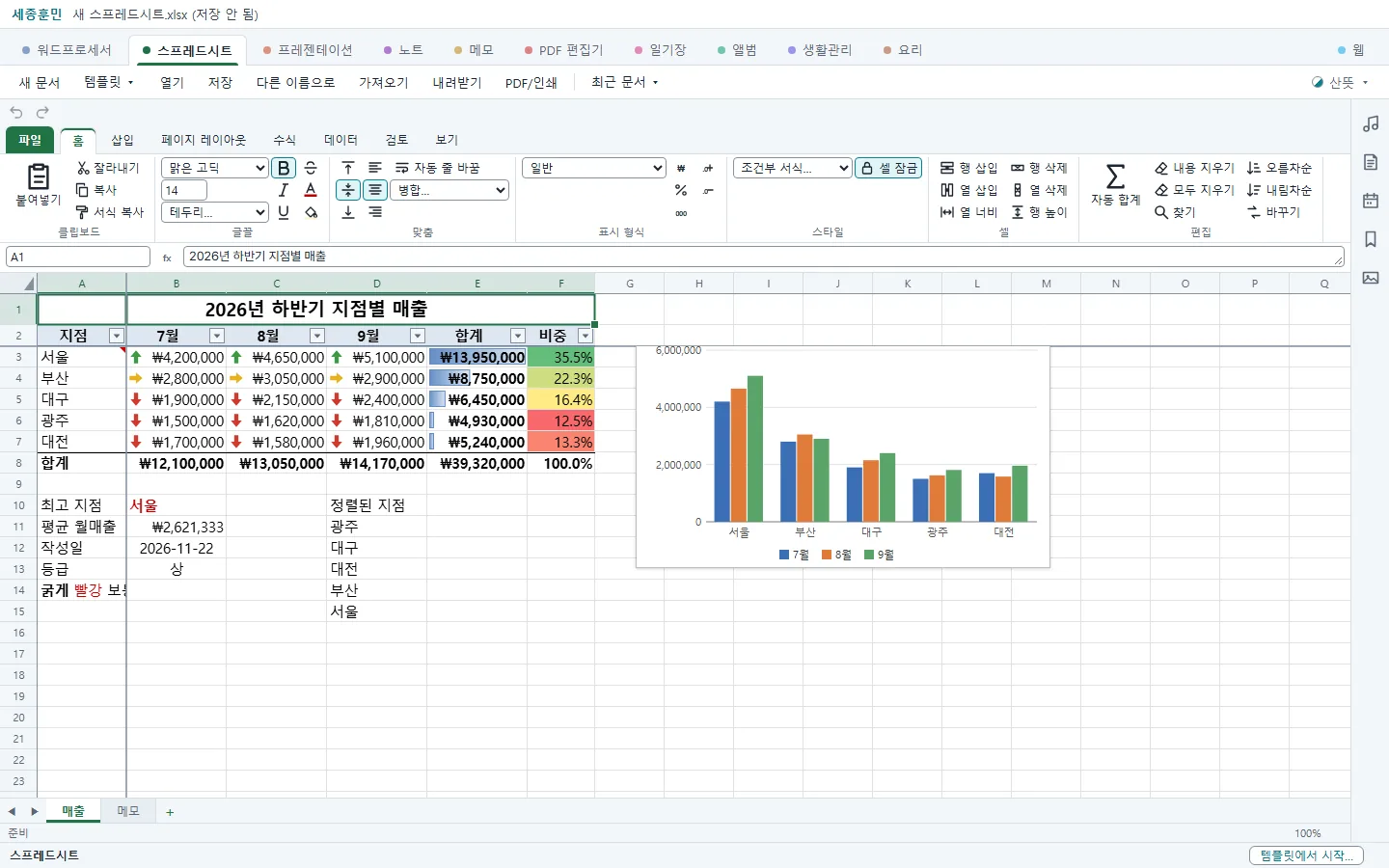
225 functions, charts and conditional formatting
- 225 functions including dynamic arrays such as FILTER, SORT and UNIQUE, a formula bar and frozen panes
- Conditional formatting (colour scales, data bars, icons), data validation (drop-downs), sheet protection and notes
- Column, bar, line and pie charts
- Open and save .xlsx (formulas, formatting and merges kept), open legacy .xls, and use .csv and .tsv
- A 100,000-row file opens and saves in about a second (our own test)
- Page setup, headers and footers, print areas and print preview
Presentations
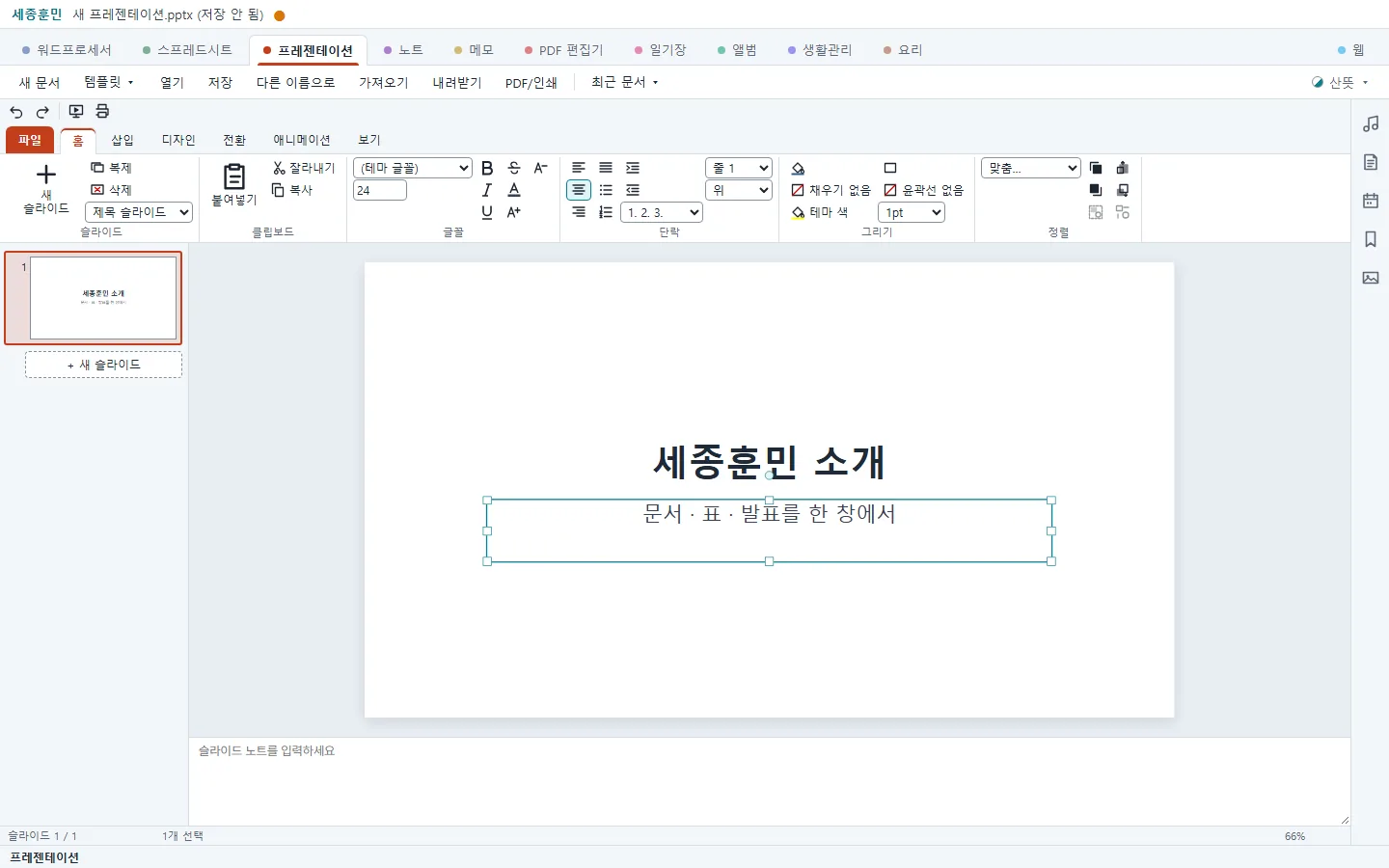
Shapes, tables, charts and transitions
- 56 shapes plus freehand curves, tables (merge cells, table styles) and 5 chart types
- 16 slide transitions, animations and slide masters
- Presenter view, plus video and audio insertion
- Open and save .pptx, export to PNG and PDF
- Print handouts (2, 3 or 6 per page), notes pages and outlines
Use it when…
- You received a .hwp file and must edit and return it
- You want tables and calculations inside one report
- You build slides and export them as PDF or images
How it works
- Open a file, or start from a template (report, letter, résumé…).
- Copy table cells from the word processor into the spreadsheet, and ranges back as tables.
- Autosave runs every 30 seconds; save as .docx, .hwpx, .hwp, .xlsx or .pptx.
See the difference
BEFORE
You get a Hangul file and have nothing to open it with.
AFTER
Open the .hwp in Sejong Hunmin, edit, and save it back in the same format.